


Your designer just got a new set of power tools
A year ago, the AI conversation in web development was mostly about code. We wrote about AI as power tools for developers back in May, and since then the design side of the industry has caught up fast. AI tools are now embedded in the workflows your design team uses every day — from generating layout concepts to checking color contrast. But here’s the question business owners should be asking: does AI make your website look better, or just make it look faster?
The answer, like most things in this series, depends entirely on who’s using the tools.
TL;DR
AI is transforming web design workflows by accelerating layout creation, improving consistency across design systems, and automating accessibility checks. But AI-generated designs risk looking generic without experienced designers guiding the process. The biggest wins come when your design team uses AI to handle repetitive tasks — like responsive layout adjustments and component variations — while focusing their creative energy on what makes your brand distinct. The technology is genuinely useful, but it amplifies your team’s skill level rather than replacing it.
AI is already in your designer’s toolkit
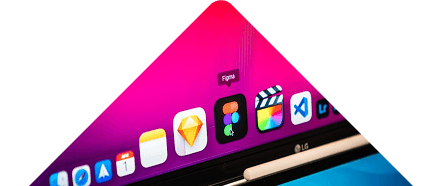
If you’re working with a web design agency right now, chances are they’re using AI-assisted tools whether they’ve told you about it or not. Adobe Firefly generates design assets and edits images using natural language prompts. Figma — the most popular design tool in the industry — has been integrating AI features that suggest layouts, auto-populate content, and generate component variations.
These aren’t replacing designers. They’re doing the same thing AI coding assistants do for developers: handling the routine work so the creative team can focus on the decisions that actually shape your brand’s online presence.
For business owners, the practical impact is straightforward. Design iterations happen faster. Your team can explore more concepts in the same timeframe. And the gap between a rough wireframe and a polished mockup keeps shrinking.
Where AI shines: speed and consistency
The biggest design wins from AI fall into two categories that matter to anyone paying for a website project.
Speed. Tasks that used to take hours now take minutes. Generating responsive layout variations for mobile, tablet, and desktop? AI handles the proportional math and suggests breakpoint adjustments automatically. Creating a dark mode version of your design? What used to be a full day of work can now be roughed out in under an hour.
Consistency. Design systems — the set of reusable components, colors, and typography rules that keep your website looking unified — are where AI has the most practical impact. AI tools can check every page of your site against your brand guidelines and flag inconsistencies: a button that’s the wrong shade of blue, a heading that uses the wrong font weight, spacing that doesn’t match your grid. This kind of quality control used to require tedious manual review.
For business owners, this means fewer “that doesn’t look quite right” conversations during review rounds. The AI catches the small stuff before you ever see it.
Where AI falls short: making your brand stand out
Here’s the honest assessment. AI design tools are excellent at producing competent, professional-looking work. They’re not great at producing distinctive work.
The same tools available to every agency produce similar-looking outputs. Feed three different AI tools the same brief — “modern SaaS landing page with blue and white color scheme” — and you’ll get three results that could be the same website. Nielsen Norman Group, the most respected UX research firm in the industry, has been warning about the homogenization risk since AI design tools went mainstream.
This is exactly why experienced teams matter more than ever. AI can generate options rapidly, but choosing the right option — the one that reflects your brand’s personality, resonates with your specific audience, and differentiates you from competitors — requires human judgment. A skilled designer uses AI to explore more creative territory in less time. An inexperienced one uses AI as a crutch and ships whatever comes out first.
Accessibility gets a real upgrade
One area where AI is delivering clear, measurable improvements is accessibility. Web accessibility — making sure your site works for people with disabilities — has always been important but often gets deprioritized because manual checking is time-consuming.
AI tools now scan designs in real time and flag accessibility issues before a single line of code is written. Color contrast ratios, text sizing, touch target dimensions, screen reader compatibility — these checks happen automatically during the design phase rather than as an afterthought during QA.
According to WebAIM’s 2024 annual analysis, 95.9% of the top million websites still have detectable accessibility errors. AI won’t solve this overnight, but it’s making it significantly easier for design teams to catch common issues early — when they’re cheap to fix rather than expensive to retrofit.
For business owners, this matters beyond compliance. Accessible websites perform better in search rankings, reach more potential customers, and reduce legal risk. AI is making it practical to do the right thing without blowing your budget.
What this means for your next redesign
If you’re planning a website project in the coming months, here’s what the AI shift in design means for you:
- Expect faster design phases. AI-assisted workflows compress the time between concept and polished mockup. Your project timeline benefits, but don’t mistake speed for shortcuts — ask your agency how they’re using AI tools and what quality checks stay in place.
- Prioritize brand differentiation. Since AI makes it easy to produce generic-but-polished designs, the value of a team that understands your brand and audience goes up, not down.
- Ask about accessibility. If your agency is using AI design tools but not running AI-assisted accessibility checks, they’re leaving value on the table.
- Budget for human creativity. The design phases that benefit least from AI are the ones that matter most: brand strategy, creative direction, and the subjective decisions about what feels right for your audience.
The bottom line
AI is making web design faster, more consistent, and more accessible. Those are real gains. But the tools work best when guided by designers who bring brand expertise, creative judgment, and a genuine understanding of your business goals. The pattern from this series holds: AI amplifies the skill of the team using it. A great design team with AI tools produces better work faster. AI tools alone produce forgettable work quickly.
Your brand deserves the former. If you’re exploring a redesign and want a team that uses AI to enhance — not replace — the creative process, let’s talk about your project.
Frequently asked questions
Will AI replace web designers?
No. AI handles repetitive design tasks like responsive layout adjustments, component variations, and accessibility checks. The strategic and creative decisions — brand positioning, visual storytelling, user experience architecture — still require human expertise. Think of it as giving your designer better tools, not a replacement.
Can AI design a complete website from scratch?
AI website builders can produce functional sites, but they tend to look generic. For businesses that need a unique brand presence, AI works best as an accelerator within a professional design process rather than a standalone solution.
How does AI improve website accessibility?
AI tools scan designs in real time for accessibility issues like poor color contrast, small touch targets, and missing alt text. Catching these problems during the design phase — before development starts — saves significant time and money compared to fixing them after launch.
Should I hire an agency that uses AI design tools?
Yes, as long as they’re using AI to enhance their process rather than replace creative thinking. The key questions: Do they have experienced designers guiding the AI output? Are they using AI for quality control (accessibility, consistency)? Can they show how their designs are differentiated, not template-driven?
Does AI-assisted design cost less?
AI can reduce the time spent on certain design tasks, which may lower costs for specific project phases. But the most valuable parts of design — strategy, brand work, creative direction — still require experienced professionals. Expect efficiency gains, not wholesale price drops.